



CandySpinz Login & Account Creation
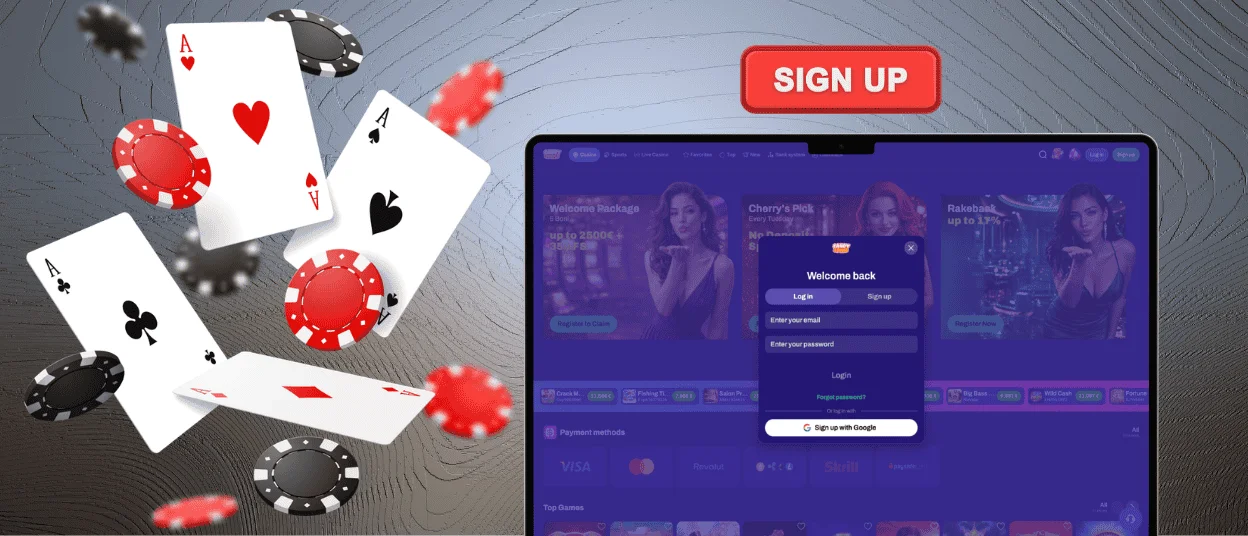
The CandySpinz login page can be opened from the top-right corner of any page, and the form appears over the lobby instead of a separate screen. Registration works through the neighboring tab of the same window and asks for an email and a password. Everything that follows, from the welcome package to payout requests, happens inside the account.



Registration at CandySpinz Casino
Creating a CandySpinz Casino profile takes under two minutes. The Sign up tab collects the data below, and a Google account replaces the first two fields with a single tap.
| Required data | Details |
| Email address | The address becomes your login and receives password resets. Offer announcements arrive here too when the news checkbox stays ticked. |
| Password | Combine letters with numbers and avoid a combination you already use elsewhere. It can be changed later in the profile settings. |
| Age confirmation | A required checkbox states that you are 18 or older and accept the rules of the platform. |
| Promo code | The expandable “I have a promo code” line accepts a code from a current offer. The field is optional, and the welcome package needs no code. |
| Google sign-up | One tap links the profile to your Google address. The age confirmation still applies. |
No deposit is needed at this stage, and the account works the moment the form is confirmed. The lobby stays open behind the window, so nothing interrupts the game you were browsing. A first payment can wait as long as you like, since the profile keeps its status while you explore the catalog of Candy Spinz Casino.
What an Account Opens
Demo versions of slots are available to visitors, while real-money play opens only with a profile. The first deposit activates the CandySpinz welcome package, and every bet from that point feeds the rank counters.
Weekly cashback and rakeback attach to the profile automatically. Tournament leaderboards, payout requests and responsible gaming limits also work only with a signed-in account at Candy Spinz Casino.
How to Log In to CandySpinz
A CandySpinz login needs a shorter form than registration, since two fields cover the whole process. The Log in button waits in the same corner on every page and keeps its place while you scroll.
- Press Log in in the top-right corner of CandySpinz Casino.
- Enter the email from your registration.
- Add the password and confirm.
After confirmation, the interface switches to account mode with the balance in view. Saved browser data fills both fields on later visits, which turns the next CandySpinz login into a single tap.
Signing In on a Phone
The mobile version of Candy Spinz Casino keeps the buttons at the top of the screen, so the route matches the desktop one step for step. Autofill from the browser works here as well, so a CandySpinz login on a small keyboard costs no extra effort.
The CandySpinz app relies on the same profile. A home-screen icon opens the platform in its own window, and the credentials from the website work there without a second registration.
Inside the Candy Spinz Account
More than the header changes after the CandySpinz login. Five areas cover the practical side of account management.
| Section | What is there |
| Wallet | Deposit and withdrawal requests open from the same window, with the current balance above them. Payment history stays available for every past operation. |
| Bonuses | Active offers appear with their wagering progress, so the amount left before a bonus turns into real money is always visible. |
| Documents | Identity files upload straight from the profile, and the status of the check appears next to them. |
| Rewards | The rank system page shows points and the next level, while Cashback displays the percentage assigned for the current week. |
| Responsible gaming | Deposit and session limits, as well as self-exclusion, are switched on here. |
None of these tabs open for visitors without a profile. Multilingual support reaches the account area too, so every section stays readable after switching the interface language of Candy Spinz Casino.
Password and Account Recovery
A reliable password for a Candy Spinz account mixes letters with numbers and repeats nowhere else. Storing it in the browser is acceptable, since TLS encryption protects the form on every device. Changing it later takes a minute in the profile settings, and the update applies everywhere with the next sign-in.
Recovery starts from the same window as the CandySpinz login. The reset option sends a link to your registration email, and a new password works immediately after confirmation. The support team can join the process at any point, and we restore access after a short identity check.
Verification Before the First Payout
Payouts require a confirmed identity, which makes the verification process the final step between winnings and a withdrawal. The whole procedure runs inside the CandySpinz profile and follows four short stages:
- Open the Documents area of your account.
- Upload a photo of an identity document with all four corners in the frame.
- Add an address or payment confirmation when our team requests one.
- Wait for the status to change, and check your email for the result.
Starting right after registration keeps the first payout quick. The check runs once, so the confirmed status stays with the profile at Candy Spinz, and later payouts need no paperwork at all.
FAQ
Can I change the email address on my account?
Personal details are edited in the CandySpinz profile settings, while the registration address itself is changed through live chat. The email is tied to payouts and password recovery, so our team confirms your identity before applying the new one.
Is it safe to sign in from someone else’s device?
The credentials work in any browser, though a shared computer deserves extra care. Skip the offer to save the password and use a private browsing window when possible. Then, finish the session through the sign-out option in the profile menu. After that, the device shows only the public lobby of CandySpinz Casino.
What if my email is already registered?
The form reports an address that already belongs to a profile. Use the password reset instead of creating a second account, since one person keeps one account at Candy Spinz. Our support team helps when the old inbox is out of reach.


